Elyndarin Zorkal

For years, the pitch for mobile apps was simple: native code meant better graphics, smoother touch controls and the ability to run without a connection. Browser games were the quick, forgettable alternative. In 2026 that gap has narrowed sharply. Modern browsers run 3D graphics, real-time networking and offline storage, and developers have started treating the browser as the main platform instead of a fallback. Here are five areas where the difference has nearly disappeared.
1. Instant play with nothing to install
The biggest barrier to a new game has always been the install: store pages, download sizes, permissions and waiting. Opening a game from a link removes all of that. The best portals now split their code so each game loads only its own files. On GameLake, for example, a game page weighs roughly 2 MB instead of loading the whole catalogue, so a visitor on a mid-range phone reaches a playable screen within seconds. For casual players, that first-minute speed matters more than any graphical advantage.
2. Touch controls designed for phones first
Native apps used to win on feel, because they could use gestures and haptics properly. Browser games have caught up here too. Good ones place thumb controls below the board so fingers never cover the action, respect the notch and home bar in full-screen mode, and stop swipes from selecting text or opening the phone’s copy menu.
 These are small details, but they decide whether a game feels like a web page or like an app.
3. Real-time multiplayer over a shared link
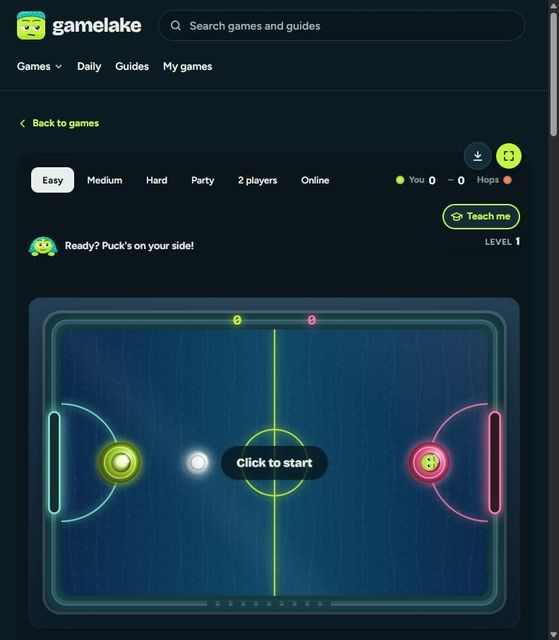
WebSockets let two players share a fast game with no account and no download: one sends a link, the other taps it. Fast games are the hard case, because network delay shows up immediately. One way around it is to let each player’s browser simulate the puck or ball on its own half and have a server only check the reports and keep the score. That is how an online air hockey table can stay playable on ordinary home connections, with spin, power shots and goal replays included. A few years ago this kind of game needed a dedicated app.
4. Console-style 3D in a browser tab
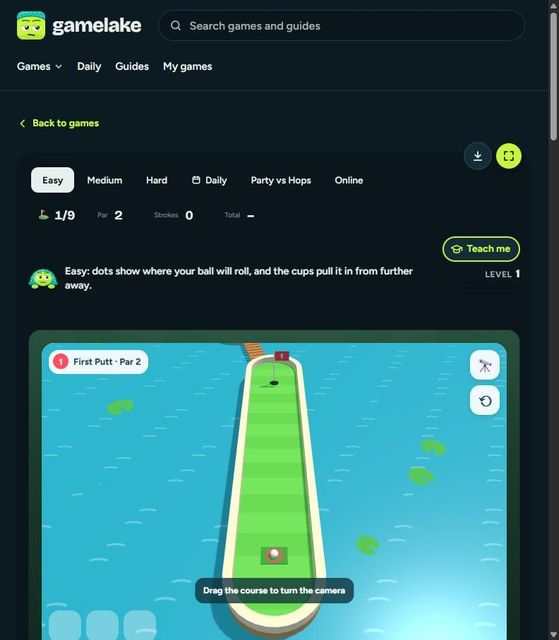
Libraries built on WebGL, such as three.js, now put full 3D worlds in a tab. A good example is a 3D mini golf course where up to eight players putt the same hole at once, the camera can be dragged and pinched to zoom, and power-ups such as a ghost ball or a sticky ball change each shot.
The 3D engine loads only on that game’s page, so the rest of the site stays light, and it can be saved for offline play.
5. Daily habits, saved progress and offline play
Apps keep people coming back with streaks, reminders and saved progress. Browsers can now do all three. Daily puzzles with streaks give players a reason to return, optional reminders can arrive as push notifications, and installed web apps sit on the home screen like any other icon. Any game can also be downloaded for offline play, which suits commutes and flights. Guests keep their progress on the device, and signing in later moves it into an account, so nobody is forced to register on the first visit.
What this means
None of this makes native apps obsolete. Large 3D titles and games that need heavy graphics still belong on a console, a PC or in a store. But for the short, social, replayable games that most people play on a phone, the browser has become a serious option. With 8 languages and dozens of games now playable by a link alone, a portal like GameLake shows how far the platform has come: the tap-to-play experience that browser games promised for years is finally here.